

Meet customers in their language, currency, and units.
Translate every screen with Language Manager, format currency the way your business expects it shown, and display distances in kilometers or miles, so ordering feels local everywhere you operate.
Localization and regional settings
What you can do
Language Manager
Every piece of interface text lives as an editable key, ready to translate or customize.
Customer language switch
Customers switch the language of your website and app whenever they like.
More than 25 languages
Language Manager offers more than 25 languages to translate your platform into.
Currency symbol
Set the symbol your business uses, from $ and € to any other currency mark.
Currency position
Choose whether the symbol shows to the left or right of the amount.
Number formatting
Set the decimal length, and choose the decimal and thousand separators.
Distance unit
Show distances in kilometers or miles, whichever your customers expect.
Dashboard
Every screen, ready to translate
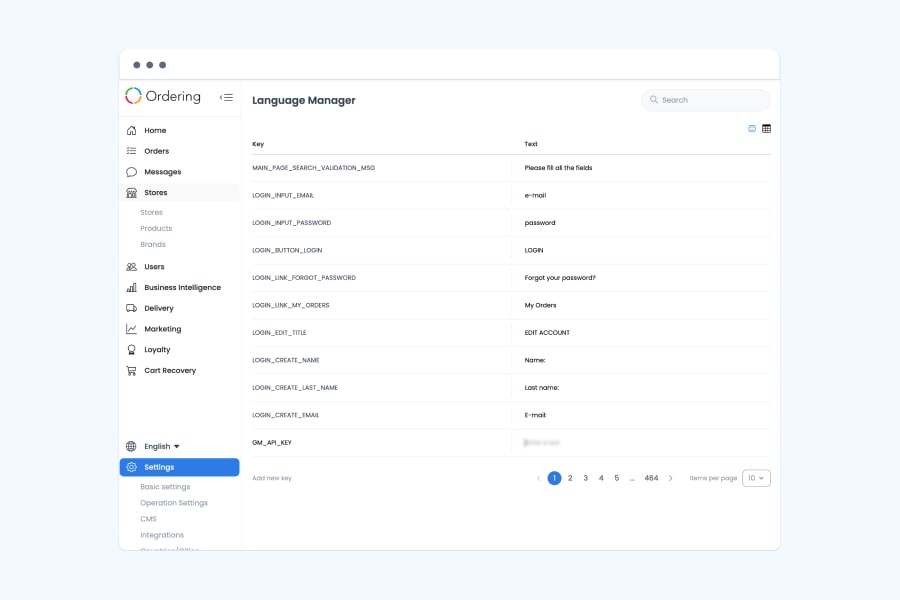
Language Manager holds every piece of interface text as a key and its translated text, so you control the exact wording customers see in each language.
- Every interface text lives as a key next to its translated text
- Search and page through the full list of text keys
- Add a new key when you need custom text the platform doesn’t already cover
- Customers switch the language of the website and app whenever they like
- More than 25 languages are available to translate into, including English, Spanish, French, and German
Dashboard
Currency formatted the way your customers expect
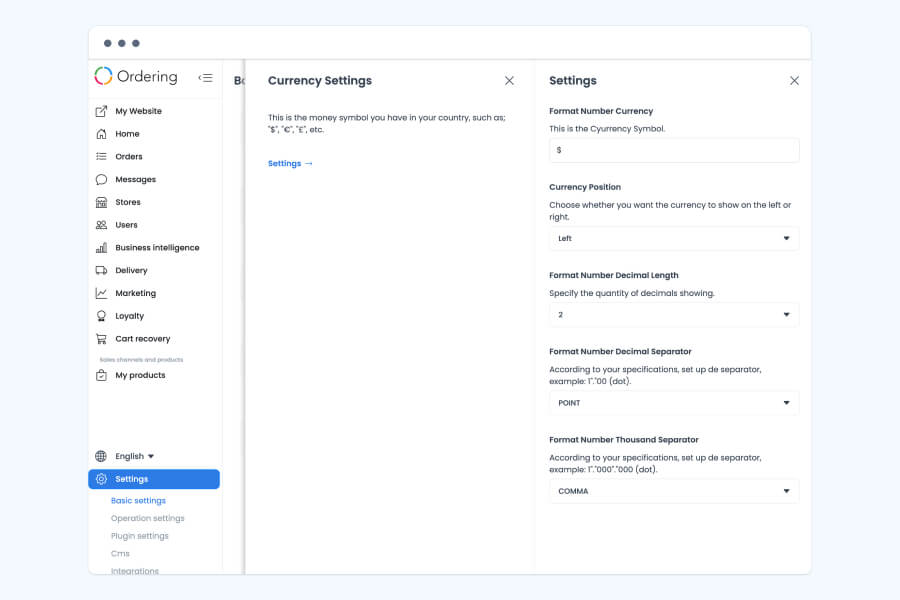
Currency settings control how amounts are written across your platform, from the symbol itself to how the numbers around it are formatted.
- Set the currency symbol for your business, such as $, €, or £
- Choose whether the symbol shows to the left or right of the amount
- Set the number of decimals shown
- Choose the decimal separator, such as a point or a comma
- Choose the thousand separator, so larger totals stay easy to read
Website and customer app
Distances in the unit customers already use
Distances shown to customers, such as how far a store is, can display in the unit they're used to.
- Choose kilometers or miles for distance measurements shown to customers
- Helps customers who travel, or aren't used to the local unit, get their bearings immediately
Good to know
- Language Manager holds every piece of interface text as an editable key, so new keys appear as the platform grows.
Related
See all featuresSee how it fits your operation.
Start a free trial, or walk through your setup with the Ordering.co team.