
Your agents take the call. The order lands in the right store.
Ordering Call Center is the console your own phone team works in. The customer is found by their number, their saved addresses are already there, the nearest store is selected, and the order goes to that store's Merchant App and POS like any other channel.
Ordering Call Center
One console for the calls your team already takes.
The customer, by phone number
The agent types the number and the account opens: name, order history and saved addresses, before the first question.The right store, chosen for them
The saved address picks the nearest store that can serve it, so the agent never has to know your map.The full menu, with options
The same catalog the storefront uses, with categories, product options and conditionals, built for typing while talking.Payment without a card read aloud
Send a payment link to the caller's phone or charge a card already on file. The agent never handles the number.What a phone team needs to close the order.
Lookup and customer history
Search by phone number or name. Past orders, addresses and notes are on the same screen as the new order.Saved addresses and new ones
Pick an address the customer already has, or add one on the call and keep it on the account for next time.Nearest store by address
The console resolves the address against your stores and delivery zones and selects the location that covers it.Delivery or pickup, like any channel
The order type, the timing and the store follow the same rules as your storefront, so nothing is configured twice for the phone.Payment link or card on file
The caller pays on their own phone, or on a card stored with their account.The order lands in the store
It arrives in that store's Merchant App and POS as a normal order, with tracking and messages for the customer.On the call
One call, one order, the right store.
The console follows the shape of the conversation instead of a form. Each step leaves the next one already answered, so the agent spends the call on the customer and not on your operation.
- 01Look the customer up by phoneThe number opens the account: name, previous orders and saved addresses, or a blank customer the agent fills in as they talk.
- 02Confirm the address, get the storeThe customer picks a saved address or gives a new one, and the console selects the nearest store that serves that point.
- 03Build the order from the menuThe full catalog of that store, with product options and conditionals, so the agent can answer what is available while typing.
- 04Take payment on the caller's phoneSend a payment link by message or charge the card on file.
- 05The order lands in that storeIt appears in that location's Merchant App and POS, and the customer gets the same tracking and messages as any other channel.
Inside the console
What the agent sees at each point in the call.
The same call, screen by screen: finding the caller, building the order, closing it, and keeping the queue organized afterwards.
Find the caller by phone number
As the agent types, the console suggests numbers already on file. If the number is registered, the agent confirms it belongs to the caller and skips the questions the account already answers.
If it is new, the agent adds the customer in a few seconds and saves them for the next call.

Confirm the details and build the order
With the customer identified, the agent confirms the delivery details and opens previous orders to suggest favorites or remind the caller what they ordered before.
Current promotions and driver availability are on screen, so the agent can set clear delivery expectations. Before checkout, the agent reads the order back and can suggest an extra item or two from the menu.


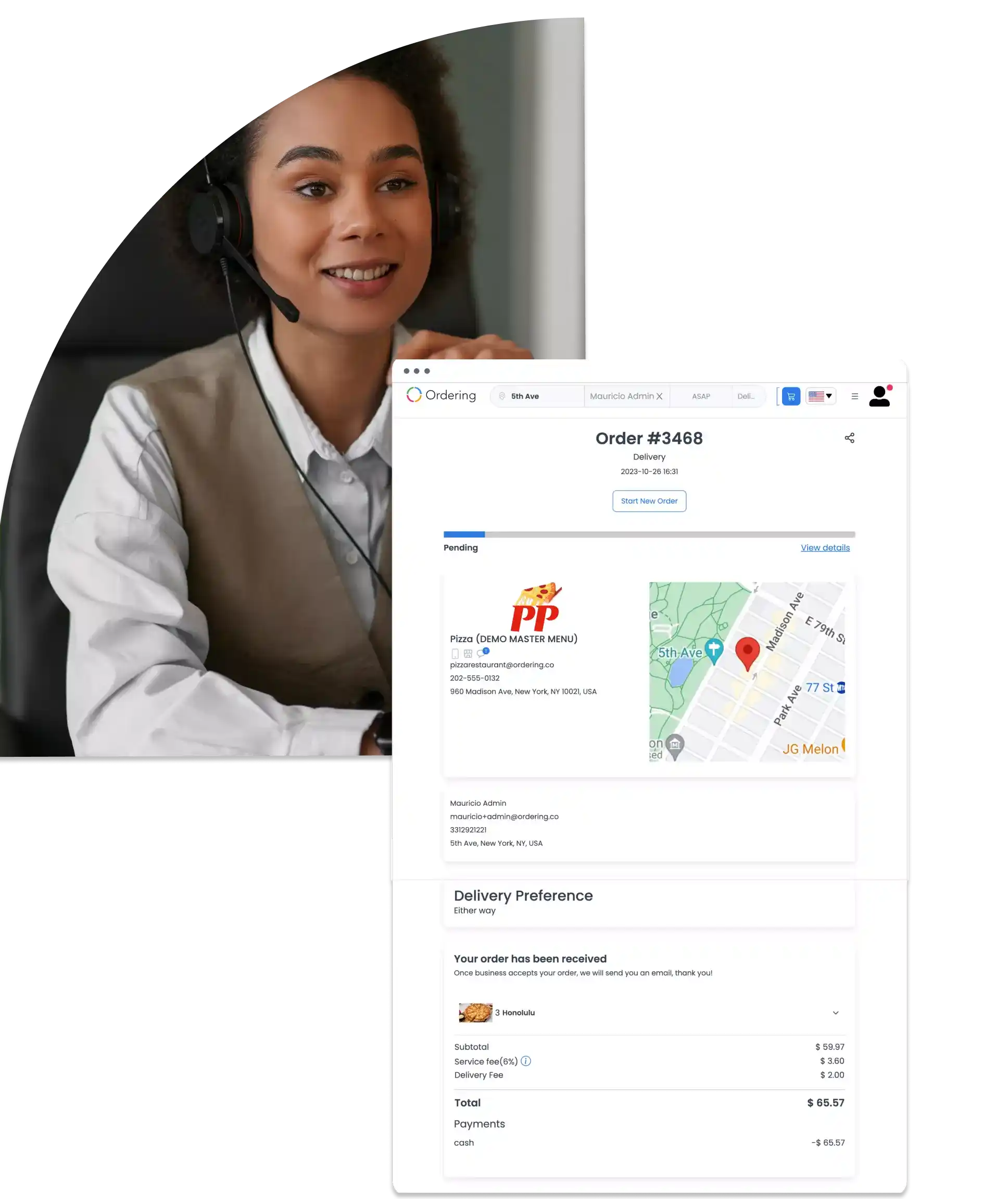
Close with the full order summary
The order summary shows product costs, taxes, and delivery information in one place, so the agent can verify every detail with the caller before ending the call.
The agent can remind the customer that status updates will arrive in the app or by email.
Keep the queue organized
Every request stays on a structured orders list, which makes tracking and follow-up questions faster to resolve.
The team can assign orders to the agent best placed to handle them and keep a close eye on delivery times.

Console screens shown with a demo store and menu.
Customer records
Save more than one number, and order for someone else.
Two details the console adds beyond the caller in front of the agent: a customer account can hold several phone numbers, and an order can be placed for someone other than the person on the line.
Where you use it: Ordering Call Center console
Saved phone numbers
- More than one number per customer
- Save several phone numbers on the same customer account, for different people, locations, or occasions.
- Add, edit, or remove a number
- Keep a customer’s saved numbers current from their account settings.
Order for someone else
- Build the order on someone’s behalf
- An agent can place an order for the person on the line, or for a colleague or customer who called in a request.
- One agent, several orders
- Take multiple orders in a session, useful for corporate accounts, offices, or event requests that come in together.
Why it matters
- Recognized, however they callA customer who calls from a different number, or has one saved for each location, still opens the right account.
- Coverage beyond the callerAgents can serve accounts that order for other people, not only the person on the phone.
Across the shift
More of what the console gives your team.
Available channels, AI features, and integrations depend on your plan and configuration.
Multichannel support
Help customers quickly, resolve questions and problems, and collect the feedback that improves service quality.
AI assistance
Analysis of the data agents already see, for faster and more accurate answers.
Real-time analytics
Monitor key metrics as they change, spot emerging trends, and act on them during the shift.
Custom workflows
Shape how your team resolves a case, so problems are settled faster and the customer relationship stays strong.
Customer data in sync
Agents work from the same up-to-date customer record, so they can anticipate what the caller needs.
A focused interface
Built for accurate, personal answers without slowing the agent down.
Fast, reliable performance
Keeps wait times short and the service running through the shift.
One infrastructure
The phone is one channel. The infrastructure is the point.
The console shares catalog, prices, stores, delivery zones, customers and payments with your website, apps, kiosks and AI agents. A phone order is the same order object as a web order, which is why it reaches the store, the POS and the drivers with no separate integration.
- Web
- App
- Kiosk
- Phone
- AI agent

 Catalog · Stores · Customers · Payments · Orders
- Merchant App
- POS
- Drivers
- Loyalty & CRM
Agents and supervisors
A console for the floor, a view for the people running it.
Give agents the locations they need to serve and give supervisors a single view of the team. Keep accounts, permissions and order history together as your phone operation grows.
- Agent accounts
- One login per agent, scoped to the stores and order types they handle.
- Supervisor roles
- Create agents, set permissions and see the orders taken across the team.
- Multi-store from one desk
- A single team can take calls for every location, or for one region.
- Orders on the record
- Every order carries the agent, the store and the customer it belongs to.
Put your phone orders on the same rails.
See the console take a call end to end, on your menu, your stores and your delivery zones.