

Give every customer a home for their orders.
My Account gathers a customer’s profile and order history in one place: every past and active order, a one-click way to reorder, favorite products and businesses, and a link to share an order with someone else.
Customer account and order history
What you can do
A personal account dashboard
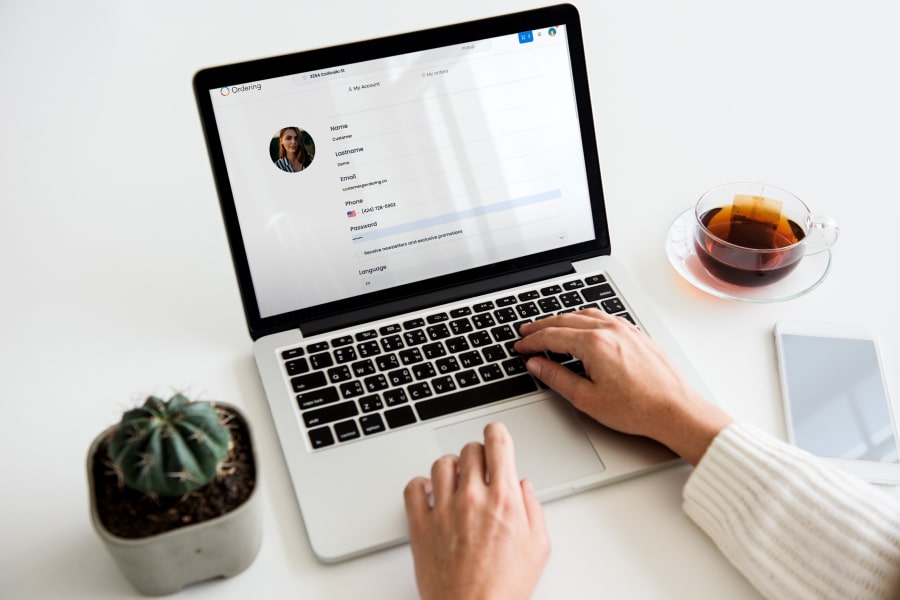
My Account gathers a customer’s profile, with links to their orders and favorites, in one place.
Order history in one place
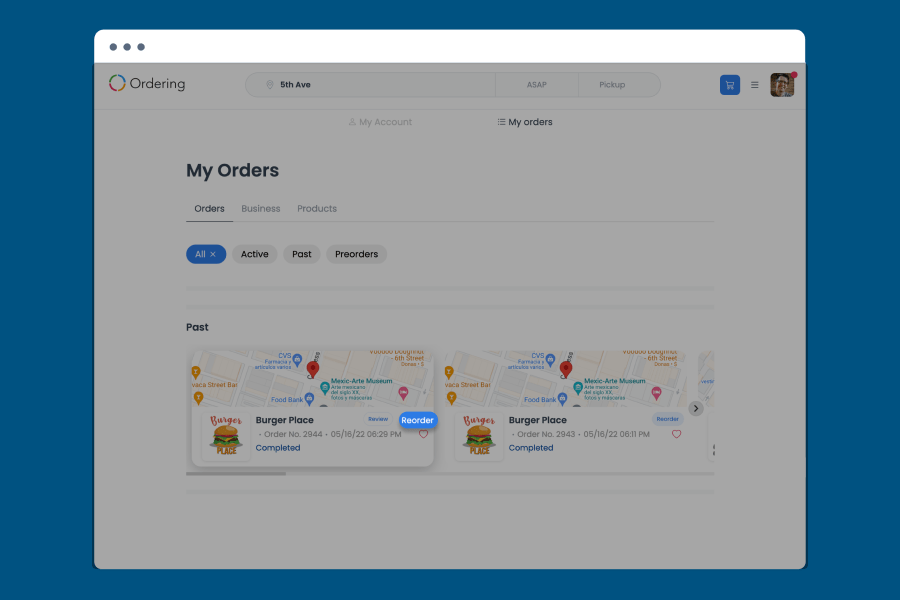
My Orders lists every past and active order, filterable by All, Active, Past, and Preorders.
Track an order to delivery
Customers follow an order’s status from placed to delivered from the same list.
Reorder in one click
A Reorder button on a past order adds every item back to the cart, ready to adjust before checkout.
Saved order templates
Customers save an order as a template and reuse it later, handy for a regular or repeat order.
Change an order after placing it
Where the business allows it, customers can adjust an order from My Orders after it has already been placed.
Favorite products, orders, and businesses
Customers mark products, past orders, or businesses as favorites for quick access later.
Share an order
Customers share an order’s tracking page with a link, so someone else can follow it too.
Collaborative order sharing
Customers share a link to an order so everyone in the group can add items or make changes to it.
Recommendations from dietary preferences
Customers add their preferences and restrictions to My Account, and get menu recommendations tailored to them.
Website and customer app
One dashboard for account and profile
My Account is the dashboard customers reach for whenever they need to check or update who they are on your platform.
- Name, email, phone number, and password kept in My Account
- An opt-in checkbox controls newsletters and promotions
- Links out to My Orders and Favorites from the same screen
- Preferences and dietary restrictions saved to the account inform personalized menu and business recommendations
Website and customer app
Order history, tracking, and one-click reorder
My Orders keeps every past and active order in one list, so customers do not have to search email or a receipt to find one, and reordering it takes one click.
- Filter orders under All, Active, Past, and Preorders
- Follow an order’s status from placed to delivered
- Reorder a past order with one click; every item is added to the cart
- Adjust quantities, remove items, or add special instructions before checking out again
- Save an order as a template to reuse later, useful for a regular or repeat order
- Where the business allows it, change an order from My Orders even after it has been placed
Website and customer app
Favorite products, orders, and businesses
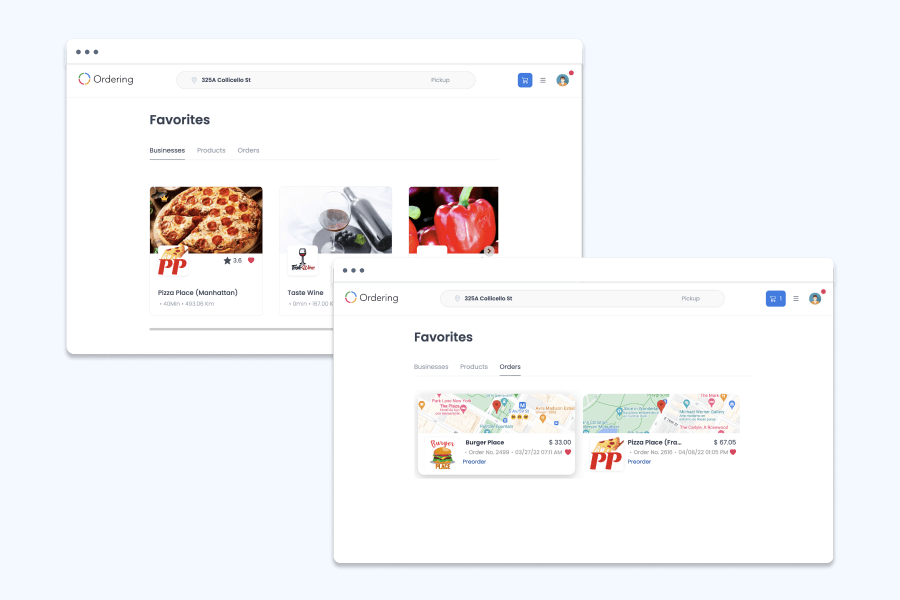
Favorites keeps the products, orders, and businesses a customer returns to most within reach, under their own tabs.
- Save a product, an order, or a business with the Add to Favorites option
- Find them again from the Favorites tab in account settings
- Businesses, products, and past orders each have their own tab
- A favorited order keeps the business, items, and total visible for a quick repeat
Website and customer app
Share an order with a link
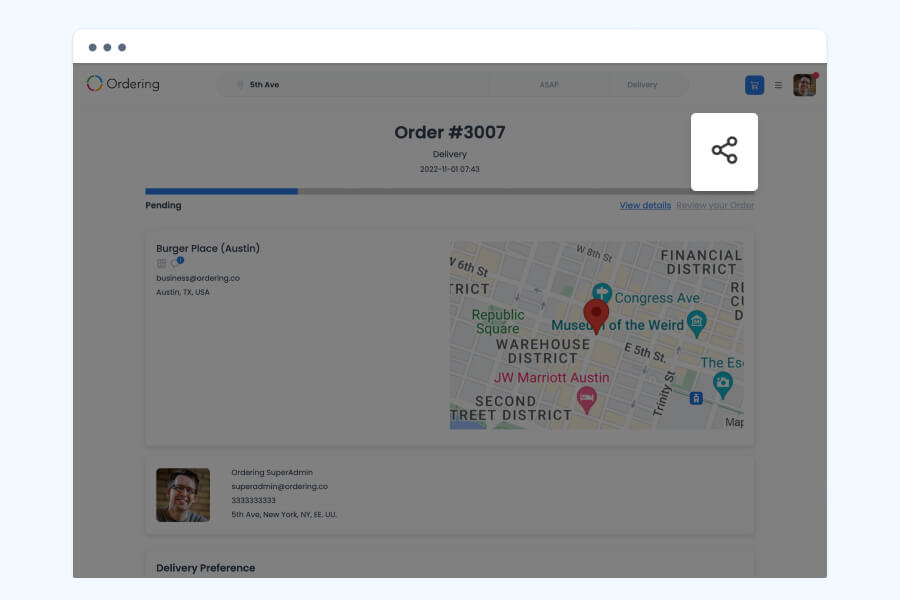
Customers share an order’s tracking page so someone else, such as the rest of the household, can follow it without logging in. For a group order, a shared link lets the whole group build the same order together.
- Share an order from its tracking page with a link
- The link opens the order’s status, business, and delivery map
- Useful for letting someone else know an order is on its way
- Share a link to an order before checkout so anyone in the group can add items or make changes to it
How it works
From order history to the next order.
- 01Open My Orders
Find the order in the Active, Past, or Preorders list.
- 02Reorder or favorite it
Click Reorder to add every item to the cart, or save it to Favorites for later.
- 03Adjust and check out
Change quantities or add instructions, then check out as usual.
Good to know
- Favorites and order history are tied to the customer’s account, so they carry over between your website and app.
Related
See all featuresSee how it fits your operation.
Start a free trial, or walk through your setup with the Ordering.co team.