

Brand operations

Give brand operations one deliberate operating view.

When menus, schedules, campaigns, and customer-facing details span multiple locations, teams need a clear way to define ownership and stay aligned.

Align modules, permissions, data, and configuration with the way your team operates.

Illustrative team members working across brand operations
Illustrative team collaboration across brand operations.

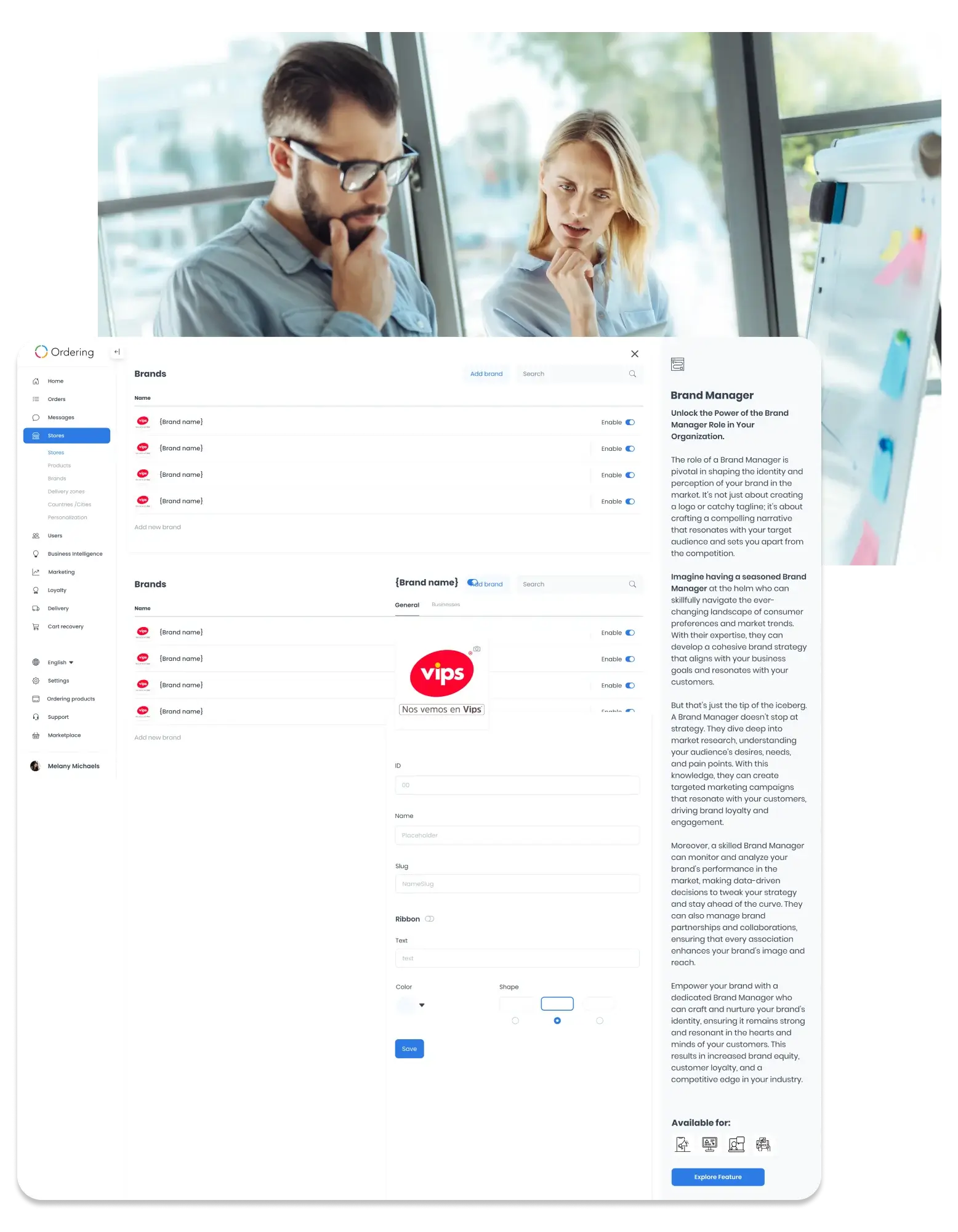
Brand profile

Set up each brand once, then find it again by name.

A brand keeps its own name, slug, logo, and enabled state, so every store that belongs to it shares a clear public identity.

Where you use it: Dashboard, Stores > Brands

Brand details

Name and slug
Enter a name for the brand. The Dashboard can derive a URL slug from it, but review it before saving: the slug must stay unique and cannot contain only numbers.
Logo
Add a logo where the logo control is available for your project: PNG, JPEG, or JPG files up to 2 MB, opened in a crop dialog before you save.
Enabled state
Turn a brand on or off. A disabled brand stops appearing in non-administrator brand queries.
Optional ribbon
Add a ribbon to call out the brand. A ribbon needs its own text, color, and shape before it can be saved.
Search by name
Search the Brands list by name instead of scrolling through every brand.

Why it matters

  • A consistent identity everywhereA stable name, slug, and logo keep a brand recognizable across every store that belongs to it.
  • Inactive brands stay out of the wayDisabling a brand removes it from non-administrator queries without losing its setup.

Store assignment

Group the stores that belong to each brand.

Once a brand exists, choose which of your existing stores it covers, one at a time or in bulk.

Where you use it: Dashboard, Stores > Brands > Businesses

Assign stores to a brand

Choose from your existing stores
Stores must already exist in your Stores list before you can assign them to a brand.
Select all or select none
Use Select all or Select none for the current result set to assign or clear many stores at once, or select them one by one.
Changes apply right away
Selecting or clearing a store submits its brand assignment immediately, so review the result set before a bulk change.

Why it matters

  • One list per brandSee every store that belongs to a brand in one place, useful for an operator running a franchise or a multi-store marketplace.

The operating model

Make brand decisions easier to coordinate across the work.

Bring menus, schedules, and tasks into the same operating conversation, then define the workflows your team needs to run.

01

Define ownership

Clarify who maintains menus, tasks, and the decisions that shape the customer experience.

02

Align timing

Coordinate schedules and campaign moments around the teams responsible for delivery.

03

Review the signal

Agree on the information that should inform a brand or operations review.

Planning areas

Use a shared view to frame the work that needs alignment.

Brand strategy development

Frame the audience, messaging, and long-term direction that needs a shared decision process.

Brand identity management

Review the logos, colors, typography, imagery, and approvals that need consistent stewardship.

Market research

Identify the customer behavior, preferences, and market context the team needs to examine.

Marketing campaigns

Plan campaign moments around the teams, customer touchpoints, and brand context involved.

Brand monitoring and analysis

Agree on the signals and context the operating team should review before making adjustments.

Stakeholder collaboration

Map the internal teams, agencies, partners, and handoffs that need clear coordination.
Illustrative team reviewing charts and reports
Illustrative team reviewing charts and reports.

Configuration questions

Start with the operational decisions your team needs to make.

Set the products, access model, integration boundaries, data requirements, and reporting needs that support your operating model.

Talk to Ordering.co

Bring brand operations into a clearer operating conversation.

Tell us which menus, schedules, teams, and touchpoints need a better shared view.

Product guide: Brand Manager