

Change what customers can order without rebuilding the menu.
Mark a product out of stock, pause a service, or put a whole store on vacation mode from the dashboard, and turn it all back on when you are ready.
Service availability controls
What you can do
Vacation mode
Put a store on vacation mode from the dashboard.
Pause a service
Pause a specific service without closing the store.
Out of stock
Track stock for each product and mark items out of stock.
Labels customers can see
Mark products as running low or out of stock so customers see the status.
Turn things off in one click
Turn a store, product, category, or option off in one click without deleting it.
Dashboard
Turn off exactly the part that needs it.
Availability works at whatever level the situation calls for: one product, a whole category, or every product tied to a specific option. Set stock levels per product, and the online menu updates to match as soon as you save.
- Toggle a category on or off, such as pausing an entire section of the menu
- Set inventory levels per product so the menu reflects what is actually in stock
- Apply availability by product, by category, by location, or by order type (online versus in-store)
- Ordering.co's inventory tracking is included on every plan
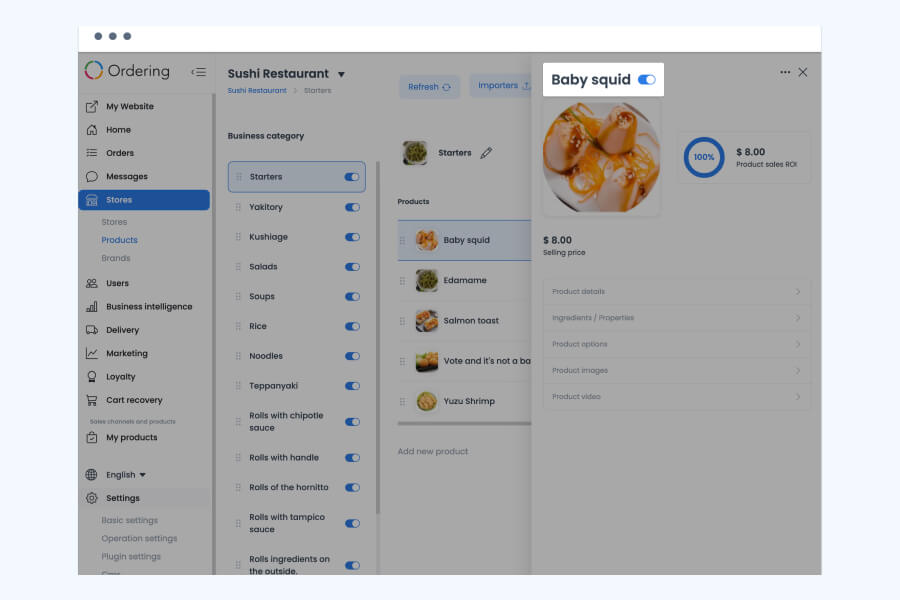
Dashboard
Close for the day, or close one service, without closing the account.
Vacation mode pauses an entire store when it is closed for longer than a normal off hour, such as a holiday or a renovation. Pausing a service does the same for one order type, such as delivery, while pickup keeps running.
- Put a store on vacation mode from the dashboard
- Pause a specific service, such as delivery or pickup, without closing the whole store
- Turn a store, product, category, or option off in one click without deleting it
- Turn everything back on the same way, whenever the store reopens
Related
See all featuresSee how it fits your operation.
Start a free trial, or walk through your setup with the Ordering.co team.