

Multi-location operations
Keep the right people connected to every store.
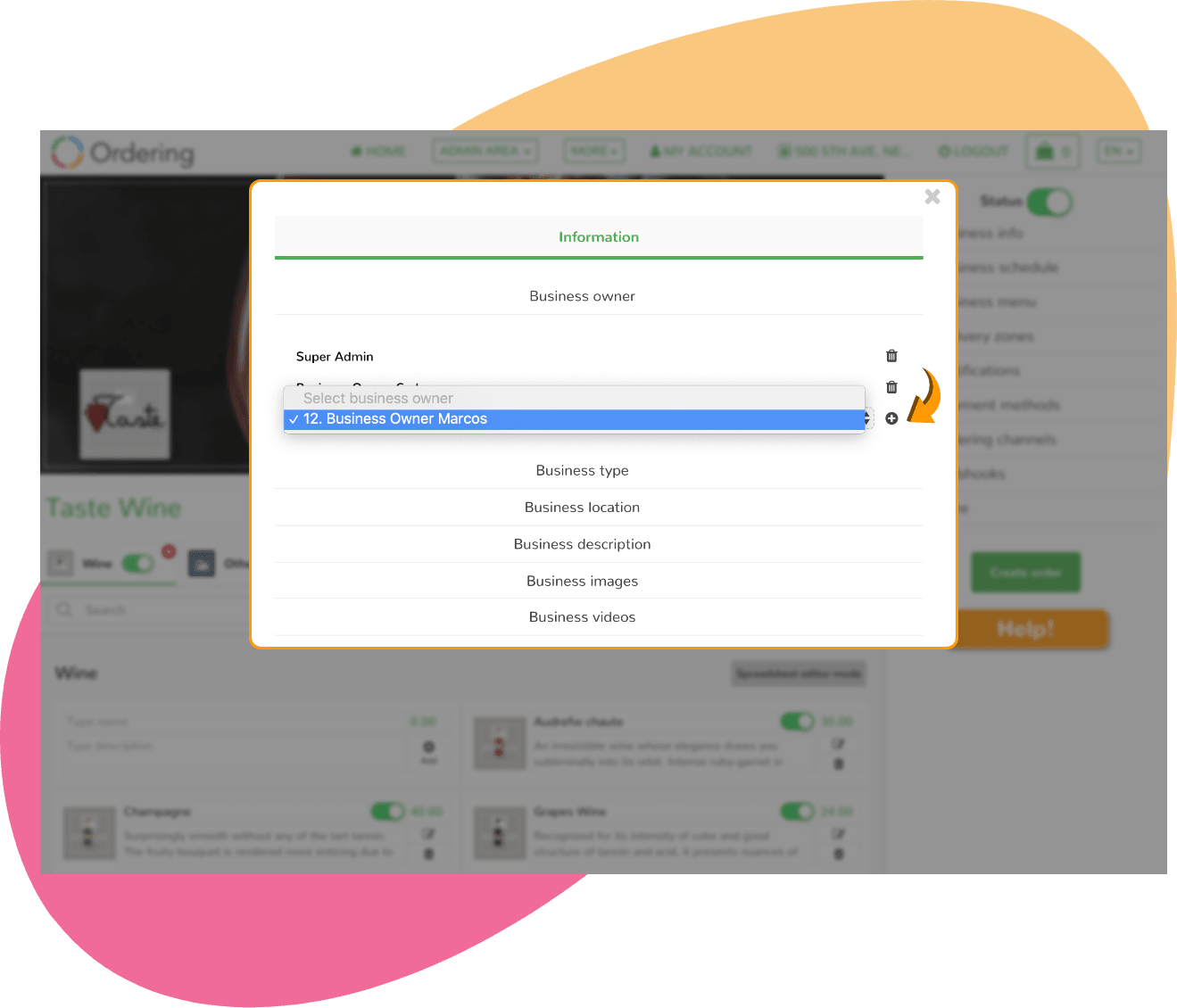
A multi-business owner model gives franchises and growing teams a way to organize manager access across stores while keeping roles and communication visible.
Account roles, notification channels, and access controls depend on the products and configuration selected for your operation.

A clear account model
Make store responsibility easier to understand.
When more than one manager is involved, the useful starting point is clarity: which person supports which store, what they need to see, and who reviews the setup.
- 01
Map account ownership
Start with the stores and people who need a distinct operational role.
- 02
Add the right manager
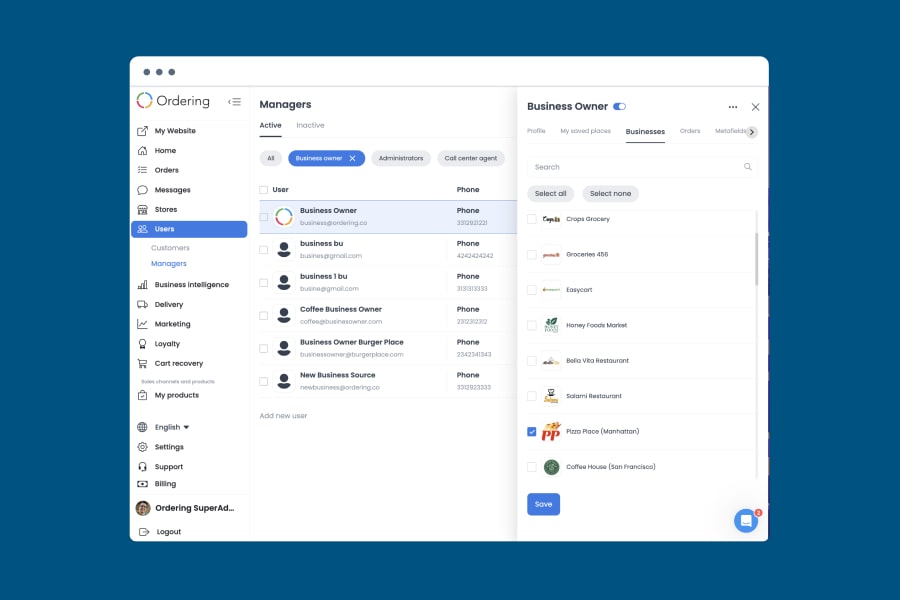
Create a manager account and give it a role — business owner, administrator, or call center agent.
- 03
Set communication expectations
Confirm which order updates and app notifications are relevant to each role.
- 04
Review access over time
Mark an account active or inactive, and keep the businesses each owner can reach current.
Individual communication
Plan who needs to know when an order arrives.
Set the account updates, email alerts, and app notifications that each manager role needs to receive.
- Which incoming-order updates matter to each role?
- Which managers should be connected to each store?
- Who owns access reviews when teams change?
Review access deliberately
Keep the account model aligned with the work.
Use changes in ownership, store coverage, or responsibilities as a prompt to review the people connected to the operation. Removal and account-management behavior follow the role permissions you configure.
Talk to Ordering.co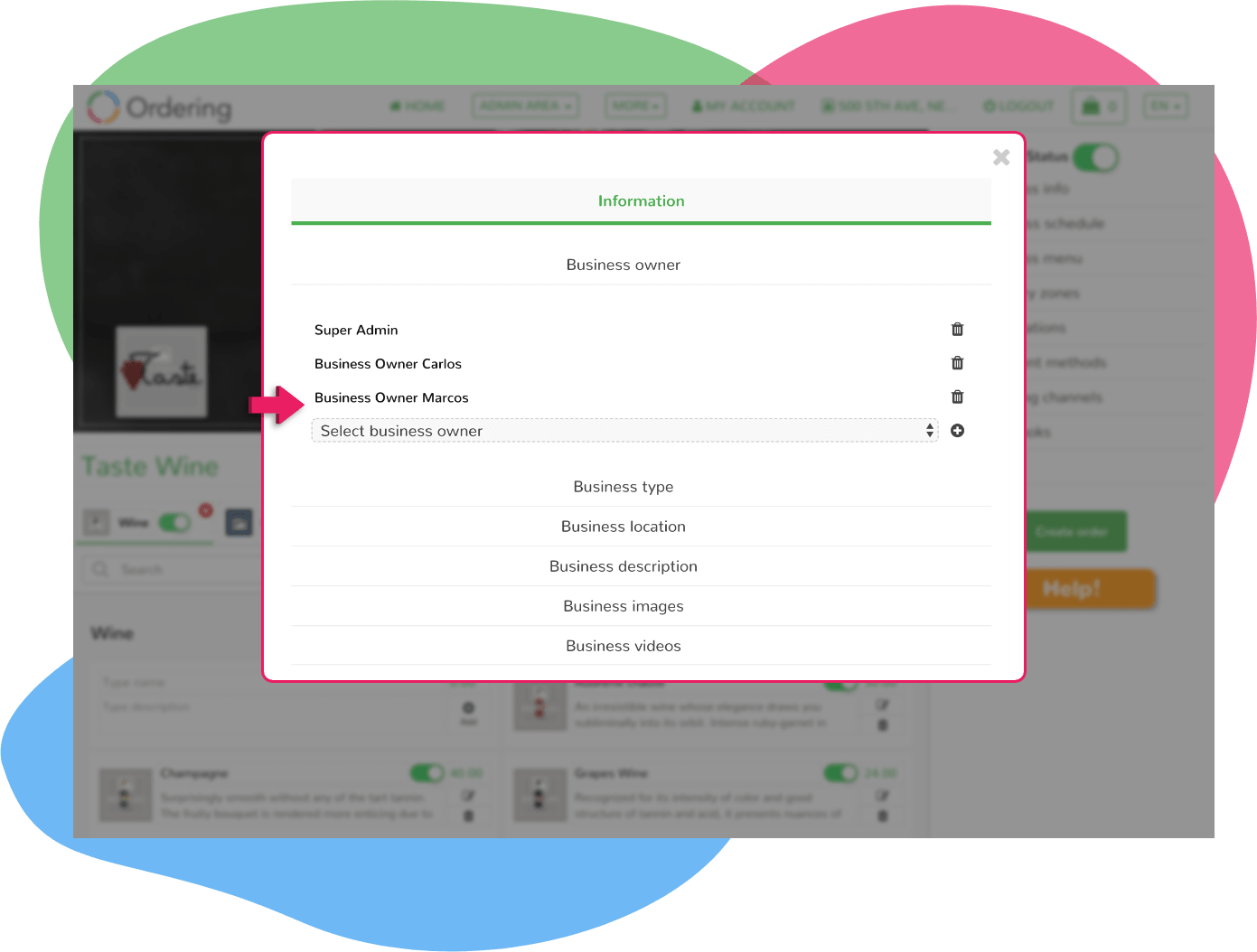
Design store access around the people who operate it.
Tell us how your teams divide responsibility across locations and roles.