

Orders and delivery
Customers rate the order and the driver on a Terrible-to-Great scale, with quick tags like "Fast and efficient" or "Followed instructions," plus a free-text comment.
Customer feedback
Advanced Reviews gives your team a structured way to consider customer feedback across orders, products, and delivery or service interactions.
Review collection, moderation, reporting, and visibility depend on the products and configuration selected for your operation.

A considered feedback model
Feedback is most useful when the team can connect it to the ordering moment it describes. Start with the signals you need to understand, then define how they should be handled.
Customers rate the order and the driver on a Terrible-to-Great scale, with quick tags like "Fast and efficient" or "Followed instructions," plus a free-text comment.
Customers can also rate individual items, with tags such as "Tasty," "Good portion size," "Wet or leaky," or "Cold or melted."
Your team reviews every rating from Business Intelligence, organized by business, driver, and customer, with a visibility toggle for each one.
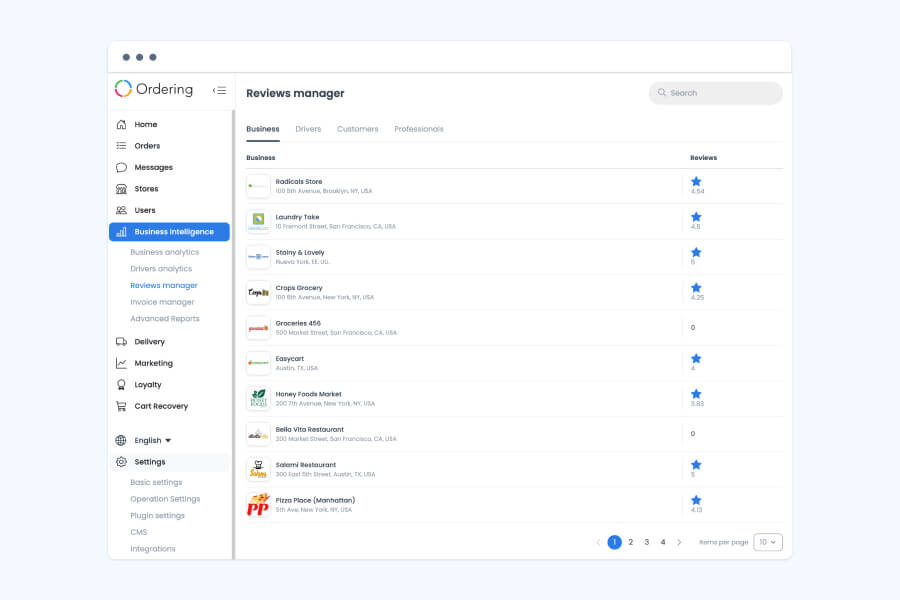
The operations view
Open Business Intelligence > Reviews Manager to see every business, driver, or customer with an average rating, then open one to read its individual reviews on the same scale customers used.
Review plan
Keep the feedback model specific to your channels, service flow, and team responsibilities.
Talk to Ordering.co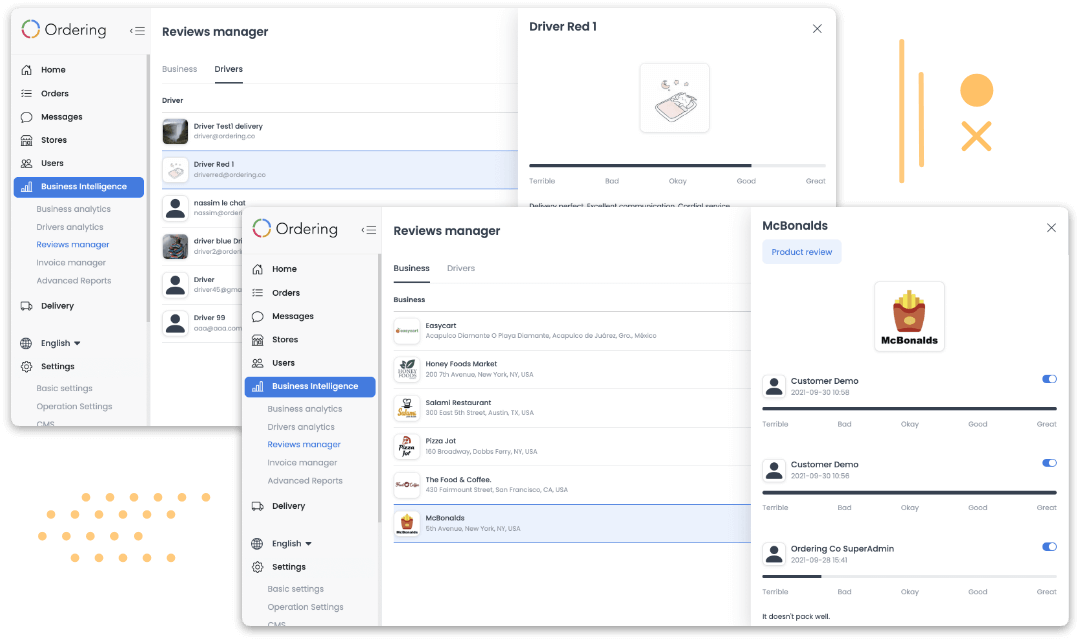
Tell us which ordering and service moments your team wants to understand, moderate, and act on.