

Menu organization
Show all of your products in a simple, styled, and elegant layout.
Keep it simple for your customers. Expand your product catalog without overwhelming the menu they see.
Parent categories apply within the ordering channels and configuration selected for your setup.
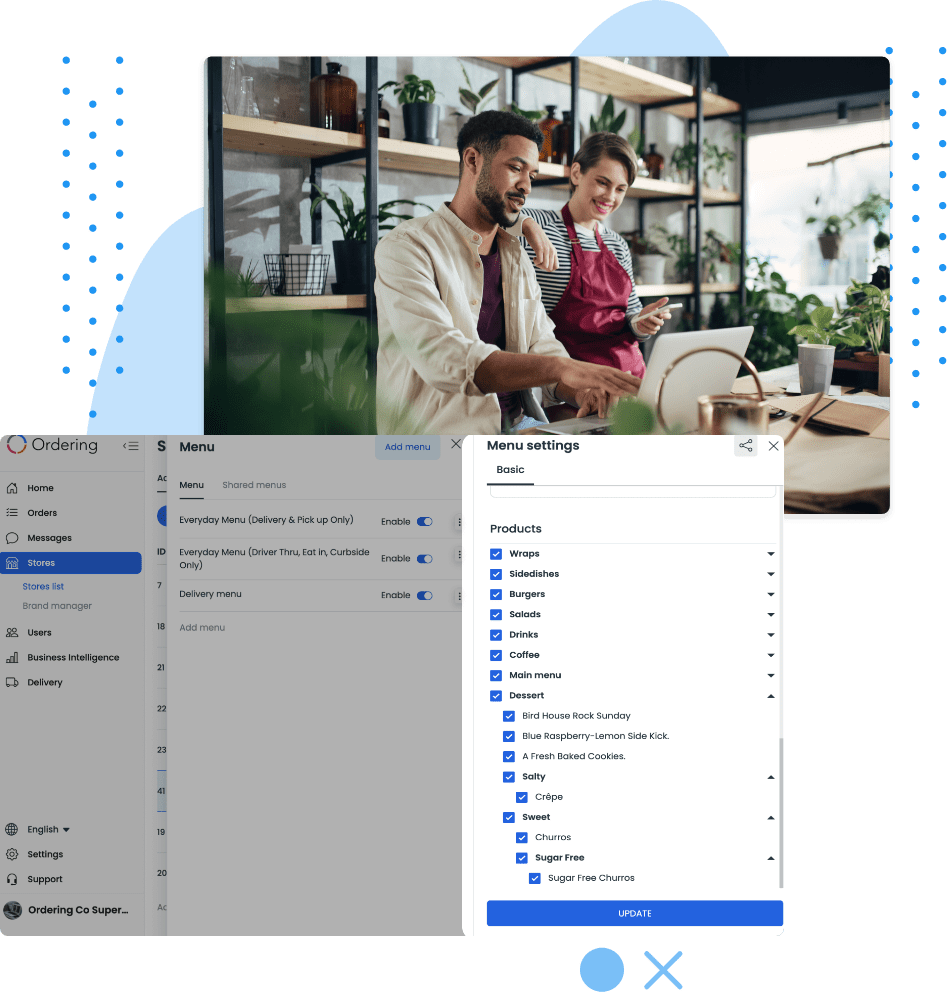
Menu organization
Group items the way your menu actually works.
Parent categories give a large menu a top-level structure; subcategories break each one down further, so customers reach the item they want in fewer taps.
Where you use it: Dashboard
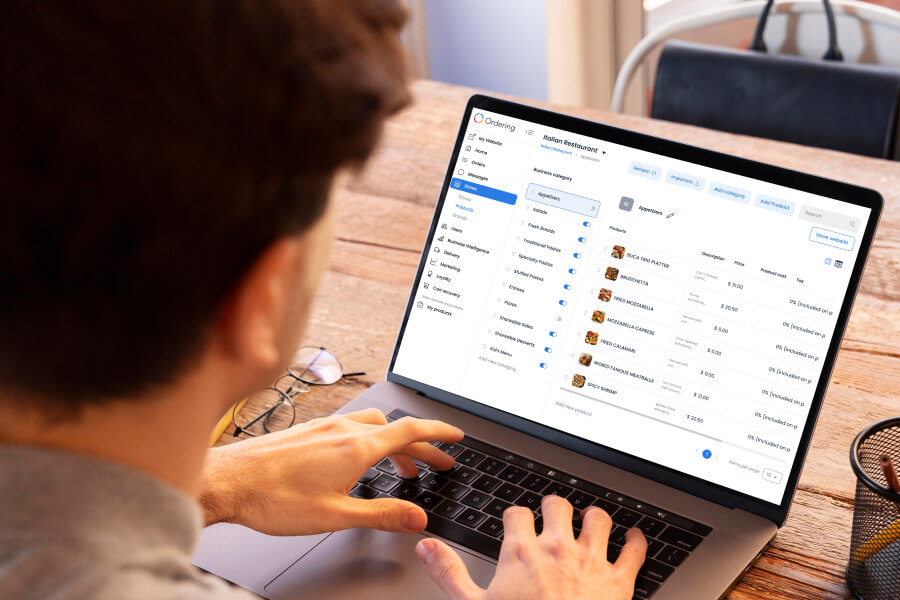
Parent categories
- A category for each section of the menu
- Group products into parent categories, each with its own name, image, and description.
- Layout you choose
- Pick the layout and design for how categories display, matching your brand.
- Turn a category on or off
- Toggle a whole category without deleting it or the products inside it.
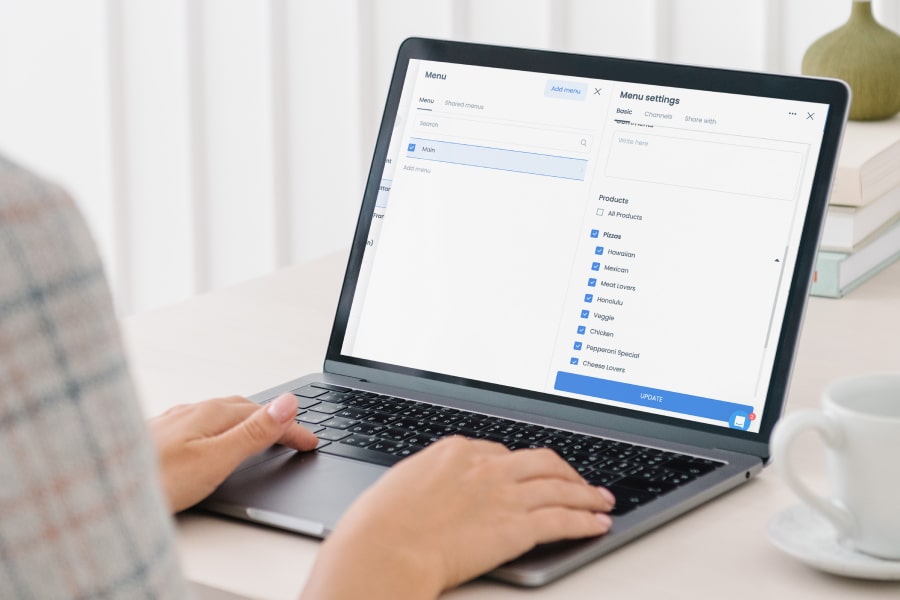
Subcategories
- A subcategory inside a category
- Break a category into subcategories, for example appetizers, entrées, and desserts, or cuisines like Italian, Mexican, and Chinese.
- Images and descriptions at every level
- Add an image and description to each category and subcategory, so customers know what to expect before they open it.
Why it matters
- Faster to the right itemCustomers move through a large or complex menu without scrolling past everything else.
- Deals get seenUse categories and subcategories to surface special deals, new menu items, or complementary products.
One clear structure
A menu your customers understand at first sight.
Expand your product catalog quickly; adding more products is easy, and it helps you increase sales and add more value to your business.
Make a menu your customers will understand at first sight.
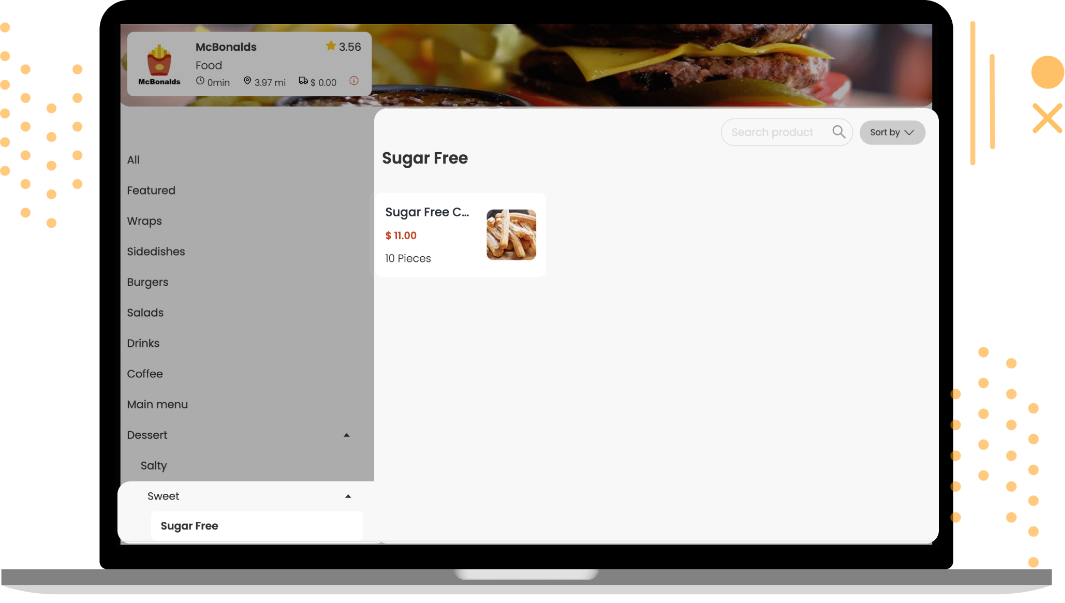
Instant control
The simplest configuration.
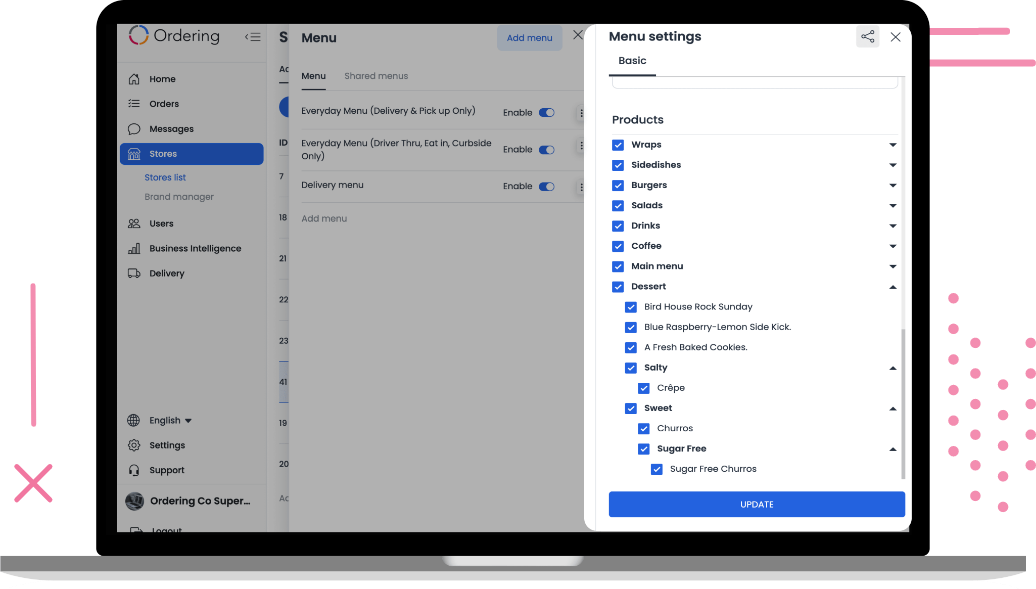
To enable or disable any new parent or normal category, you only need to click on the checkbox; the changes in your menu are sent instantly to all your Ordering products, meaning everything is up to date always.
- Toggle any parent or normal category on or off with one checkbox.
- Changes sync instantly across all your Ordering products.
See parent categories on your own menu.
Confirm how this fits your current catalog and configuration with the Ordering.co team.