

B2B operations
Tools for coordinating B2B ordering channels, delivery operations, management, and marketing.
Coordinate ordering channels, delivery operations, management, and marketing with the Ordering.co products selected for your implementation.

Ordering websites and apps for B2B operations
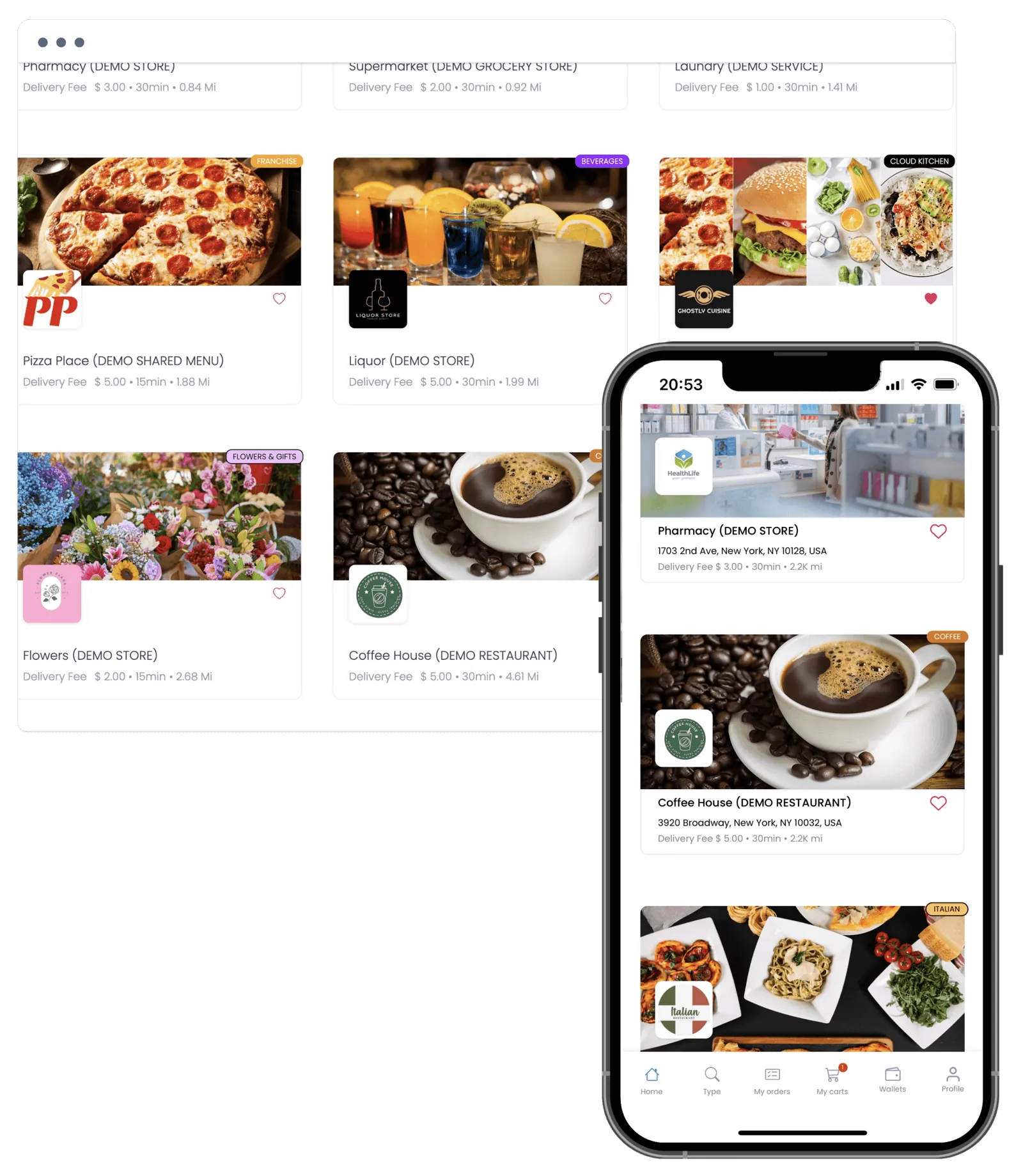
Ordering Website, Native Customer App, and Self-ordering Kiosk are the customer-facing channels you brand and run as your own B2B storefronts.
Native Customer App (iOS & Android)

Self-ordering Kiosk
Configure ordering channels around your B2B brand
Reach more customers through additional selling channels, define delivery zones by customer segment, and confirm which payment providers apply to your B2B setup.

Expand your B2B startup to reach a wider audience
Leveraging multiple selling channels such as websites, apps, self-ordering kiosks, social media, and more.
Prepare your fleet for efficient delivery operations
Strategically defining delivery zones for each customer segment.

Payment providers
Ordering.co supports gateways including Cash & Terminal, Stripe, PayPal, Alipay, iDEAL, Bancontact, and Giropay. Availability depends on your country and merchant agreement — confirm your active list before launch.
Empower your B2B startup's growth
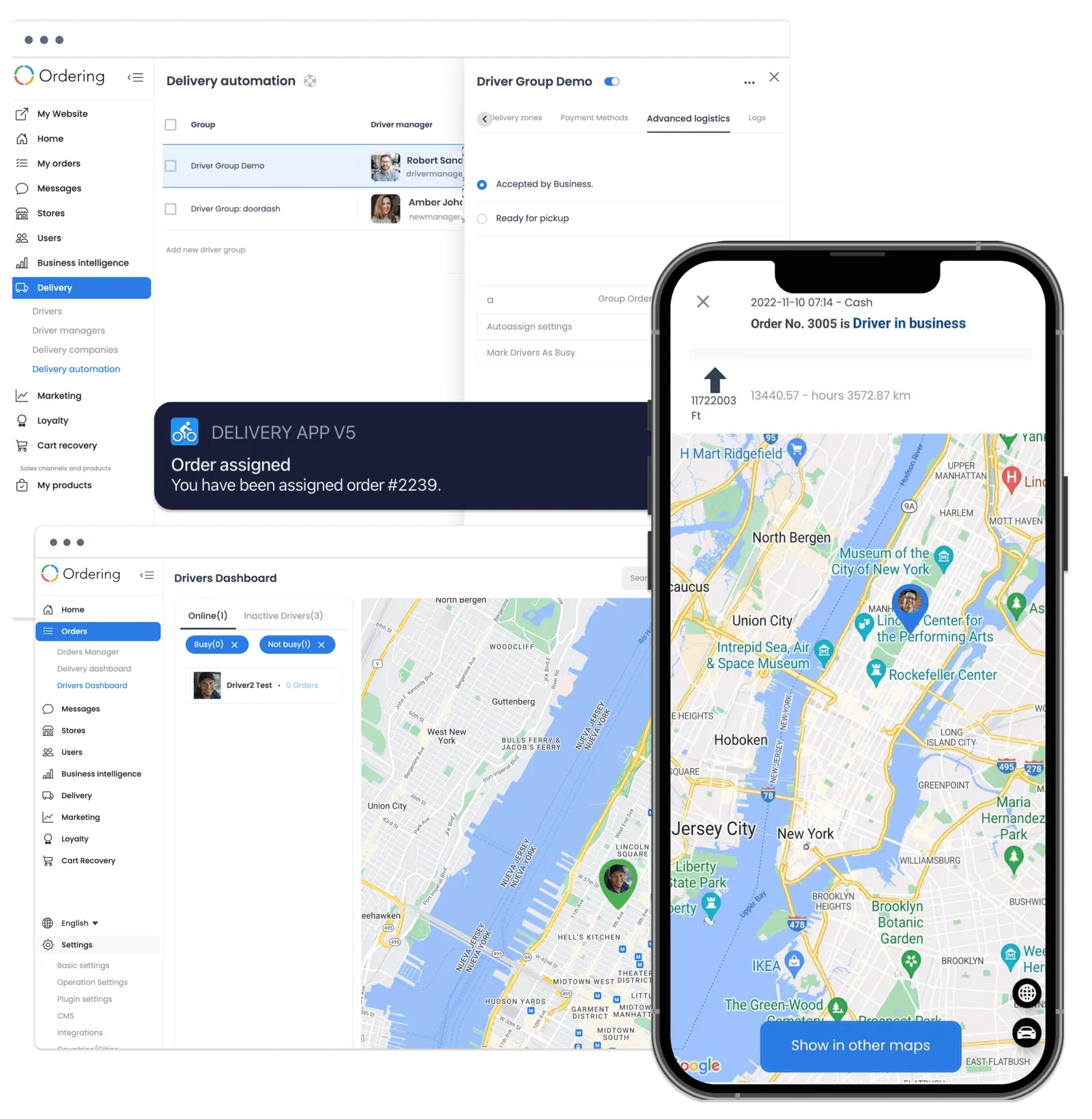
Assign orders to the Native Driver App, track them on the Delivery Dashboard, and scale routing with Advanced Automated Logistics — one delivery operation you control end to end.
Review delivery workflows with Ordering Delivery
Review routing, dispatch, tracking, and driver workflows against your delivery requirements.
 Native Driver App (iOS & Android)
 Delivery Dashboard
 Advanced Automated Logistics
Take control of every aspect of your B2B business with our Management Suite.
Strategically plan and execute
Track orders and locations from the Native Store App, monitor performance with Ordering Dashboard and Business Intelligence, and handle invoicing and real-time communication — all from one management view.




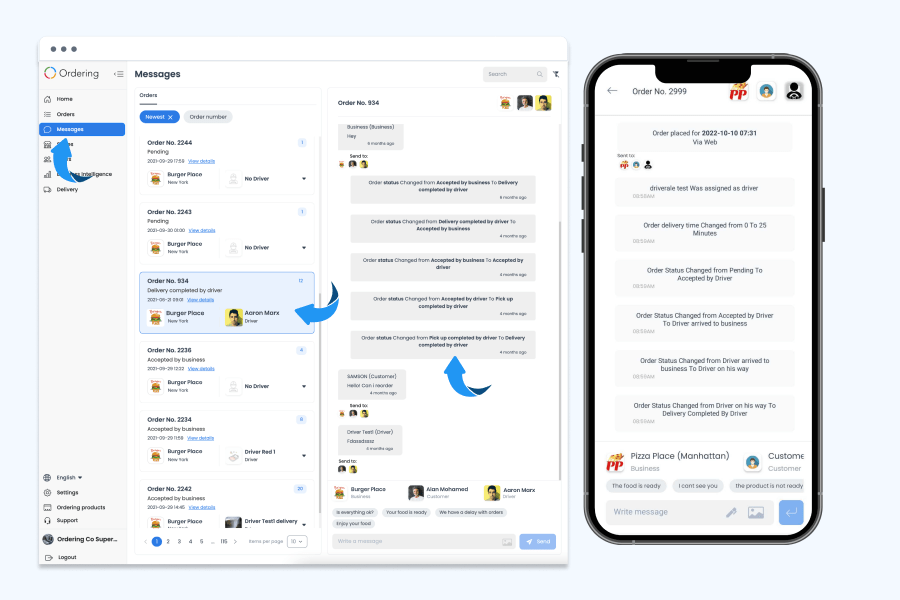
Coordinate every order in real time
Message the driver or the customer straight from an order, without switching to a phone call or a separate app. Status changes — accepted, picked up, on the way, delivered — are logged automatically alongside the conversation, so anyone opening the order later sees the full history in order. Conversations are searchable by order number from the Dashboard and available on mobile.
Unlock the power of in-house marketing with our comprehensive toolkit
Plan campaigns around the audiences, permissions, and channels available to your operation.
 360 Marketing
 Brand Awareness
 Focused Campaigns
 SEO Strategies
 Target Audiences
 Digital Marketing
 Analyze Results
 Offline Marketing
 Ad Banners
 Advanced Offers
 Cart Recovery
 Marketing Wallet
 SEO Tools
 Landing Pages
 QR Code Creator
 Gift Cards
Choose a wholesale portal with the same operating test.
The best fit for a distributor is the portal that handles the actual buyer, catalog, repeat order, payment, and delivery workflow you need. This page does not establish which system is most popular in the US.
Compare a real retailer order across the shortlisted approaches: find the product and unit, check current availability, repeat a prior order, review the total, place the order, and reconcile the delivery and payment record. Test an unavailable item and a changed order as well as a successful purchase.
Use the same account-access, catalog ownership, integration, support, and release responsibilities in each evaluation. A general feature list does not establish negotiated terms, minimum-order rules, purchasing approvals, or ERP procurement; scope those requirements individually.
Migrate the distributor network through owned data and a defined cutover.
Start with one representative supplier and buyer group before moving the full network. Assign a business owner and a technical owner for the migration.
Map supplier and retailer identifiers, permitted account access, catalog products and units, prices, availability, addresses, relevant order history, and external payment or accounting references. Agree which system owns each object, which relationships must survive, and who resolves missing or duplicate records.
Pilot ordering, repeat purchase, an unavailable item, a changed order, delivery, and financial reconciliation. Agree the data freeze, new-order routing, acceptance evidence, support contacts, and rollback procedure before cutover. Keep existing operational channels available under the agreed transition plan; do not promise a short or automatic migration.
Build the B2B setup around your operation.
Tell us which ordering channels, delivery workflows, management tools, and marketing capabilities your B2B business needs.