

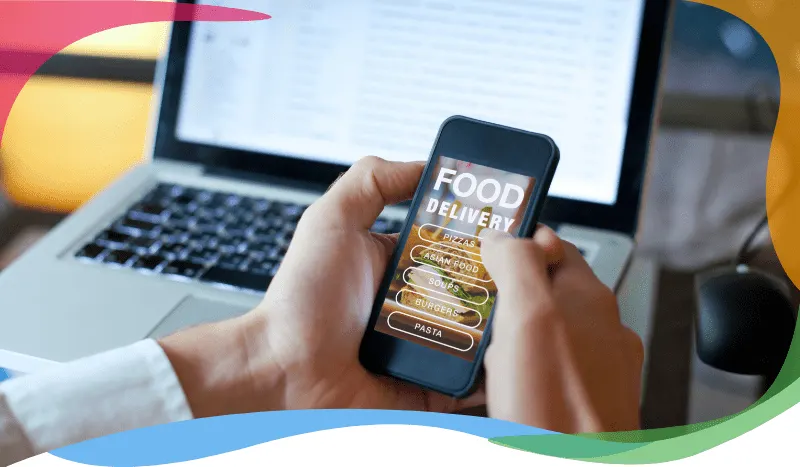
Restaurant online ordering system
An online food ordering system lets customers order from your restaurant without calling or visiting in person. They can browse the menu, customize their order, and get food delivered to their door or ready for pickup, which saves them time and travel. For restaurants and other food businesses, it adds a sales channel that works around busy customer schedules, including for people who have little time to cook.
How to get an online food ordering system
Many software companies sell online ordering systems for restaurants, and they differ in the tools and features they include. Compare how each one handles your menu, payments, pickup and delivery, and the systems you already use before you choose. Ordering.co has provided online ordering software for restaurants and food businesses since 2012.
Five benefits of a restaurant online ordering system
1. More efficient ordering
An online ordering system helps your team work more efficiently. Customers see clear product images and details before they order, which reduces mistakes and misunderstandings. Your staff can also give full attention to dine-in guests instead of taking orders at the counter or over the phone.
2. A new path to sales
Online ordering gives customers a way to order from home and enjoy a meal with little effort, which can bring more traffic and online sales to your business. Customers can check an item's ingredients and images before ordering and customize the order to their preferences, something that is harder to do over the phone.
3. Flexible customer service
Good customer service helps you grow your business and earn goodwill online. With online ordering, there is less room for misunderstandings between customers and staff than with orders placed by phone or in person, and your team has more time to prepare orders instead of handling counter sales.
4. Clearer analysis of your sales
An online ordering system helps you analyze your customers and your sales. For example, you can track sales that come from offers, discounts, coupons, and gifts, see how customers respond to them, and use what you learn to plan your next promotion. The system also keeps a record of each customer's contact details and order history, so you can spot your regulars and personalize what you offer them.
5. Broader marketing reach
Online ordering lets you interact with new customers online, including people who do not yet know your restaurant exists. That helps you learn more about your market and extend your marketing. Push notifications let you reach customers who already have your app with offers and discounts, without asking them to check their phone for a call or an email first.
Need your own restaurant online ordering system? Talk to our team to get started.
How the ordering system works, from customer to fulfillment
An ordering system coordinates a purchase request, the rules that make it valid, and the people who fulfill it. Its objectives are to give the guest an accurate total and service promise, give staff an actionable order, and preserve a traceable record when payment or fulfillment fails.
| Component and actor | Responsibility | Boundary to agree |
|---|---|---|
| Website, app or conversation; customer | Choose store, items, modifiers, delivery or pickup and timing | A submitted cart is not proof of payment or merchant acceptance |
| Catalog and order rules; administrator | Maintain availability, prices, taxes, hours and delivery coverage | A menu does not manage physical kitchen capacity by itself |
| Payment provider; customer and finance team | Authorize or collect payment and supply a payment reference | Payment success and store acceptance are separate states |
| Merchant tools; store team | Receive, accept, prepare and resolve exceptions | Receipt in a dashboard does not prove a separate POS received it |
| Fulfillment; counter team or driver | Hand over the correct order and update its status | Dispatch does not guarantee arrival at an exact time |
Illustrative order: a guest selects the downtown store, two bowls with a required protein and an extra, then delivery. The system checks the address against service coverage, calculates the final amount and follows the configured payment path. The merchant receives the items, modifiers, service choice and payment state. Staff accept the order, prepare it and coordinate delivery; the customer receives the applicable confirmation and status updates. An unavailable protein needs a correction agreed with the guest, not an invented substitute. A failed submission needs reconciliation before retrying so the team does not prepare two orders.
Ordering platform, POS and marketplace: different responsibilities
A POS supports the store's sales and related in-store work. An ordering platform provides the customer channel and coordinates online order intake and fulfillment; a supported connector can pass relevant information to a POS. A marketplace also brings multiple sellers into a discovery and purchasing experience. Selling on an external marketplace and operating your own branded channel create different responsibilities for customer access, commercial terms and incident handling.
For each system, name the authority for menu, price, payment, order status and refunds. Ask what happens if the POS is unavailable after payment succeeds. Define who contacts the customer and which order reference lets support reconcile the request.
Measure accepted orders divided by submitted orders, paid-but-unaccepted exceptions, correction rate, preparation time and fulfillment completion. Record counts, denominators and comparable service periods; more website traffic alone does not demonstrate better service management.
Ordering Web connects the customer channel to Ordering.co's stores, orders, payments and delivery foundation. Explore a demo with your menu and map each responsibility before selecting the system.